
How to create MySQL database in OVIPanel
>>>> First login to your OVIPanel
>>>> Now go to Database and then click on MySQL Database

>>>> Now under "Create a new MySQL® database " you need to enter the name that you want to and click on "Create"
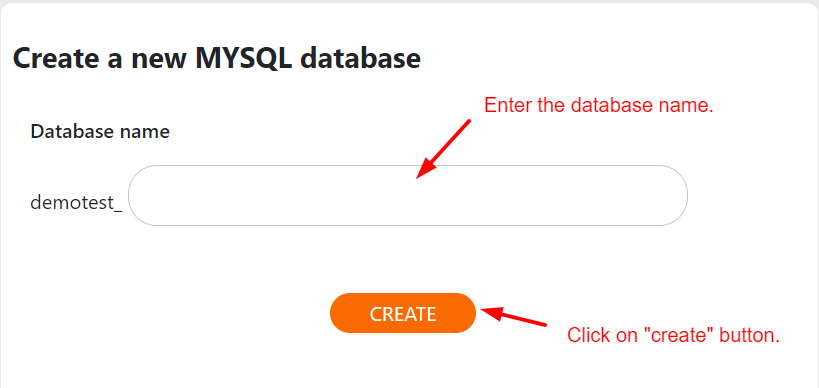
>>>> Now your new MySQL database will be created

>>>> Once after creating a new MySQL database and now if you want to delete, then you need to click on Delete and your MySQL database will be deleted
>>>> This is how it looks after you click on delete icon.
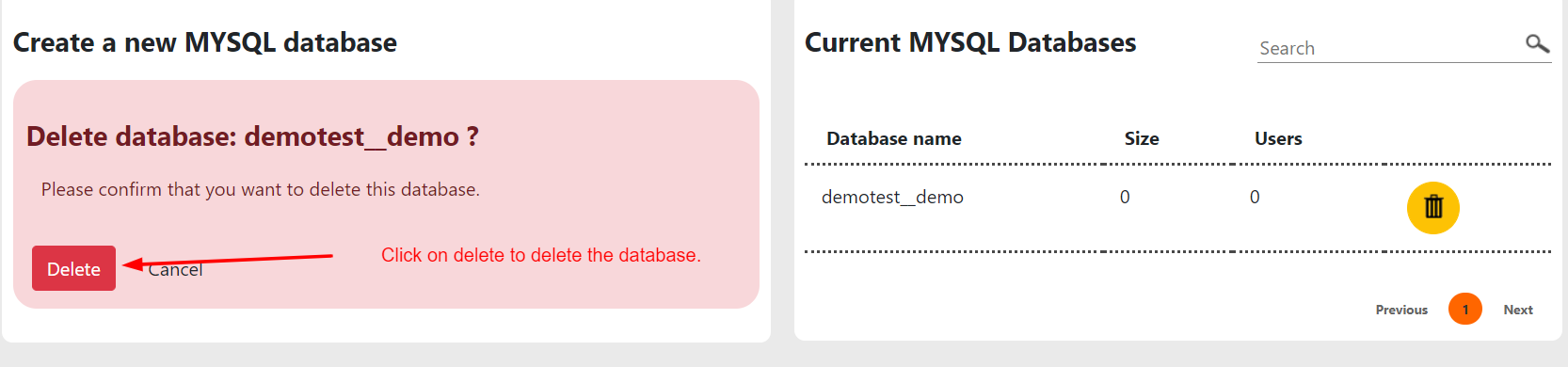
>>>> Click on "Delete" button, after that database will be deleted.