
OVIPanel change-Appearance
Many users of OVIPanel wish to have the logo of their choice on the login page of OVIPanel hosted on clould server or vps server.Keeping this in mind OVIPanel has come up with a tool that allows user to make the changes oftheir choice.
The interface of the change appearance looks as below image.
>>> Log into your ACP, now under Preferences click on Change Appearance

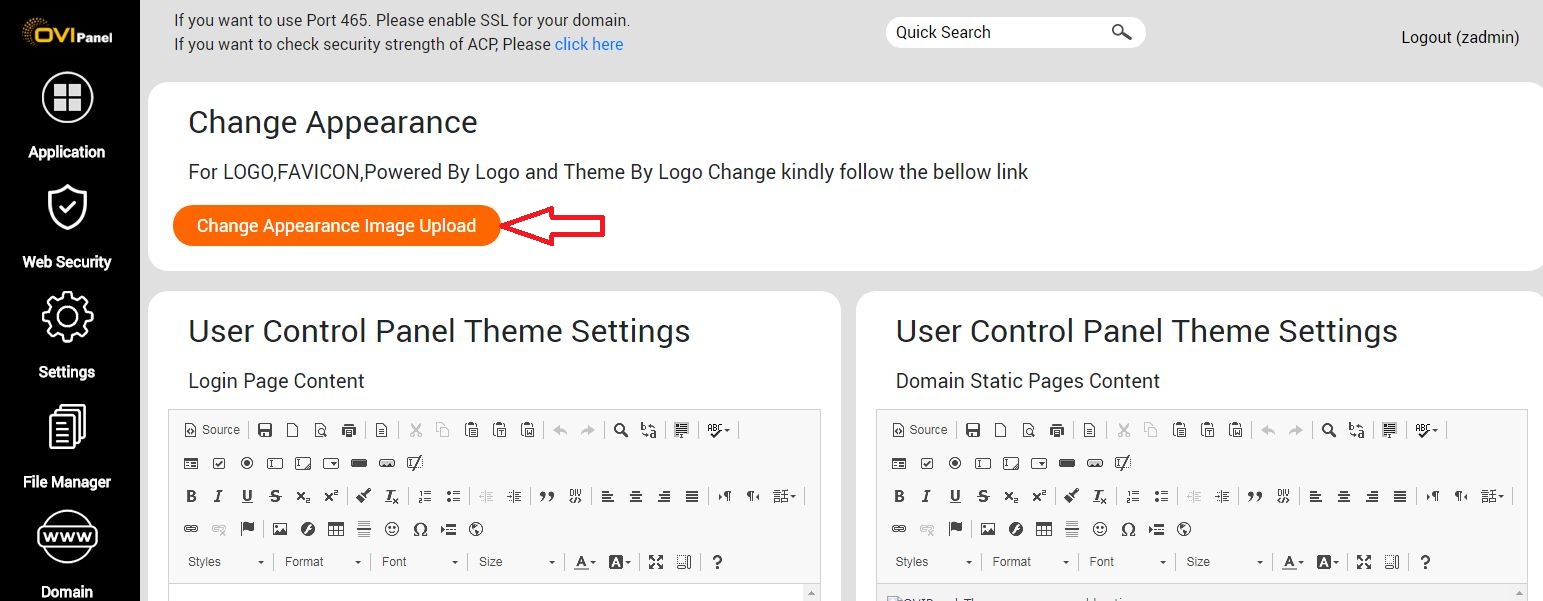
Change Appearance Image Upload
Change Appearance Image Upload
For server security reason we are disbled the upload option in Panel.Kindly connect FTP with root user and upload your file mention Path.
Login details:
Username: root
Password: Your server root password
Port: 22
LOGO Upload
LOGO Path: /etc/sentora/panel/etc/styles/CstyleX-master/images/
Disable Page Path: /etc/sentora/panel/etc/static/disabled/
Replace a logo.jpg with your file as same name.
Note: Recommended values for logo: max-width:340 pixels max height:140 pixels
FAVICON Upload
Favicon Path: /etc/sentora/panel/etc/styles/CstyleX-master/images/
Disable Page Path: /etc/sentora/panel/etc/static/disabled/
Replace a favicon.ico with your file as same name.
Note: Recommended values for favicon:width & height:18 pixels
Logo and Powered By Logo Upload
Powered By Logo path: /etc/sentora/panel/etc/styles/Zentora-master/img/style/
Replace a logo_use.png with your file as same name.
Note: Recommended values for 85 X 27 pixel
Theme By Logo Upload
Theme By Logo path: /etc/sentora/panel/etc/styles/Zentora-master/img/style/
Replace a logo.png with your file as same name.
Note: Recommended values for 50 X 50 pixel
You can see the changed logo in the below image.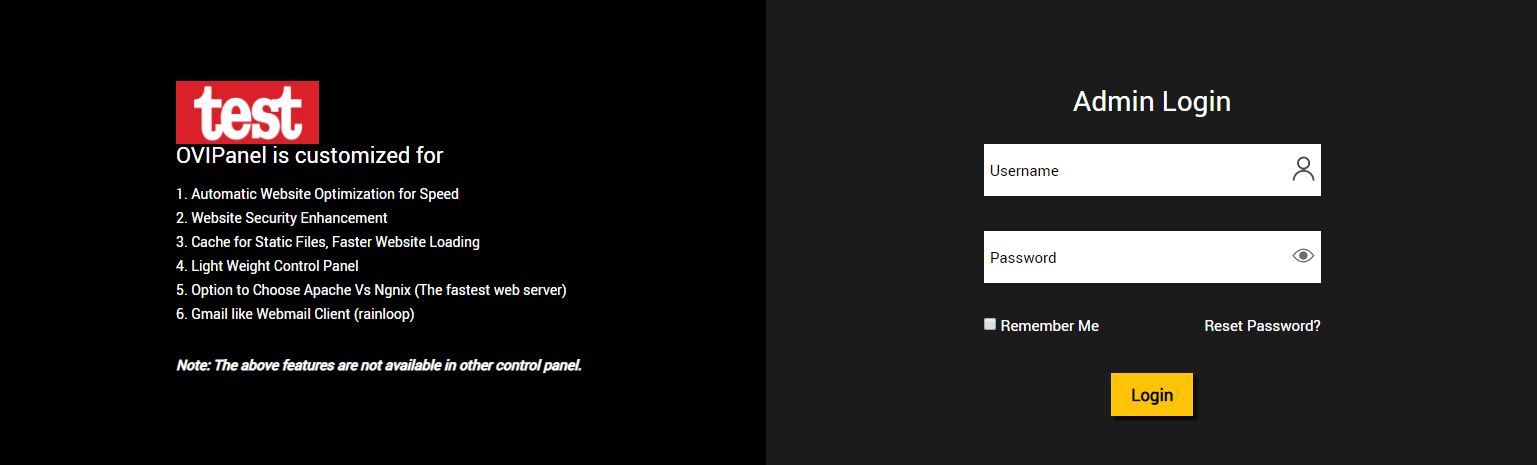
While selecting the favicon please take care of your dimensions as max-width =18 pixels and max-height =18 pixels for better appearance of the favicon.the favicon can be of type jpg,
Jpeg, pngor gif.
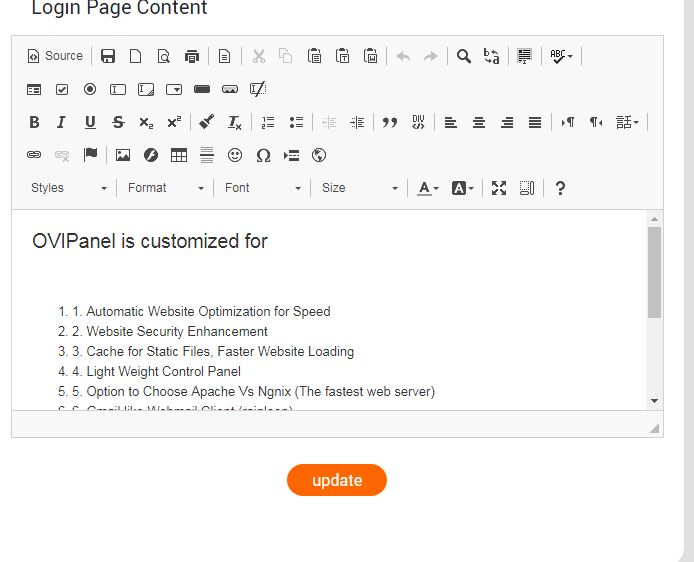
Content :▒To edit the content on the login page there is a dedicated tool provides all the necessary edit options. You just need to enter the content and click on change the contents will be appeared on the login page.
The tools looks like below image.
URL▒:
The option to select among hostname and IPaddress is provided by a button.you can select the same of your choice.

▒
The Change appearance is the best tool to change the required images in a simple way.