
This document explains about OviPanel and WHMCS Integration
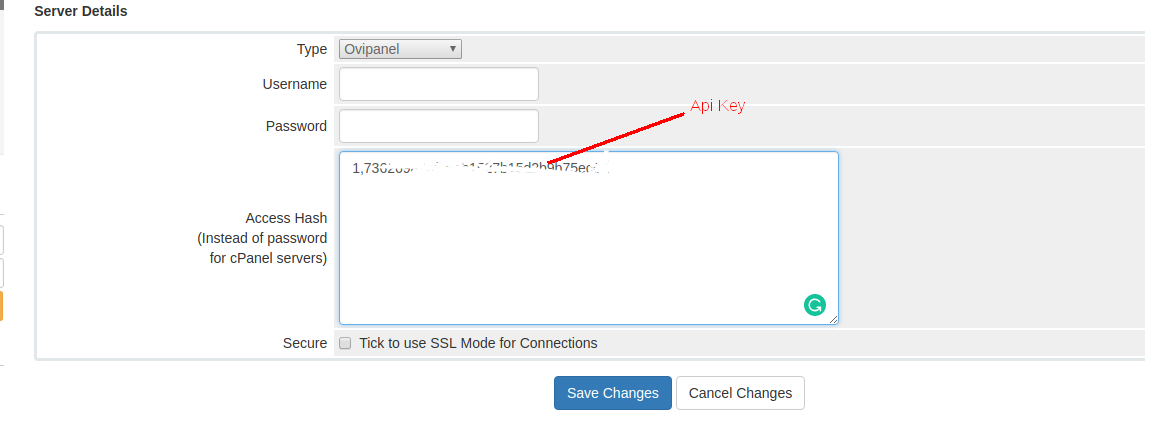
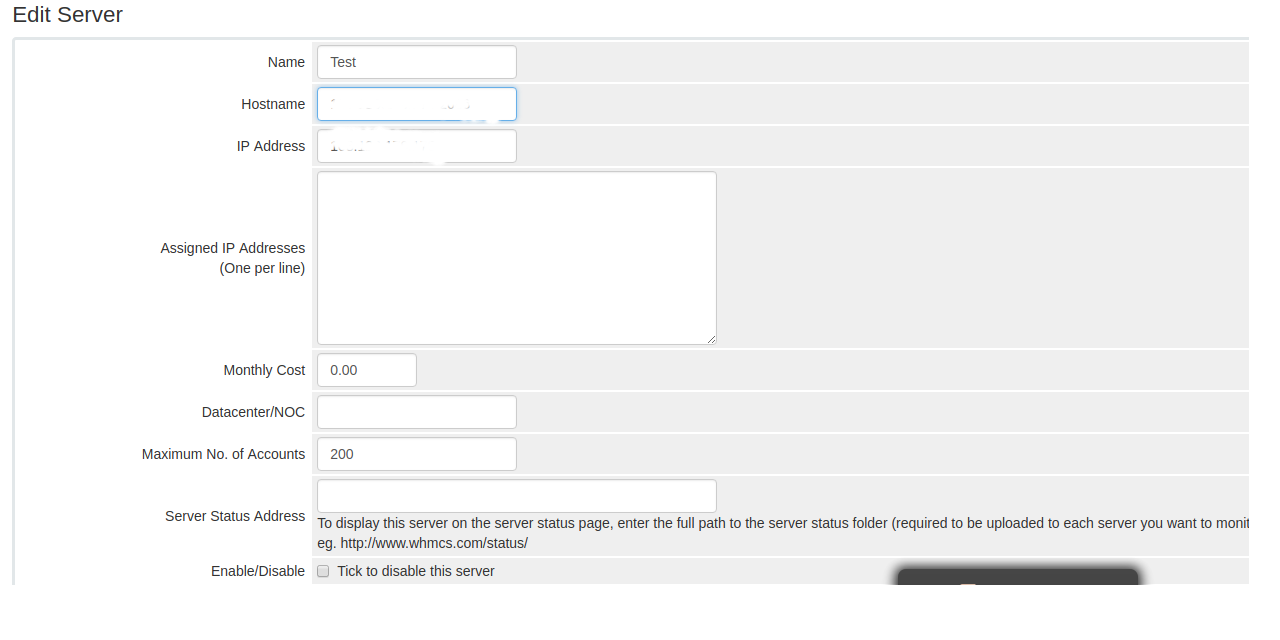
Step 1: Setup server
================
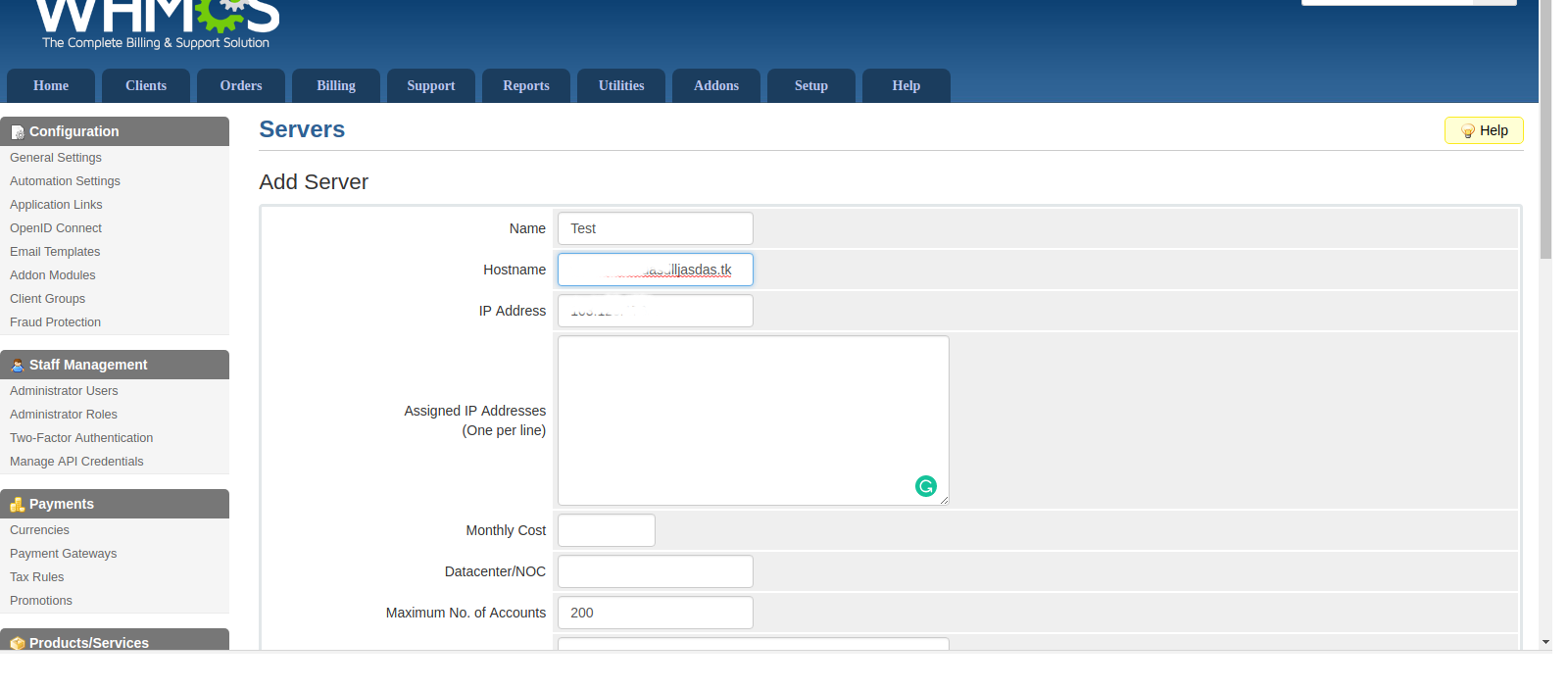
Login to WHMCS => SetUp => Product / services => servers => Click add server Button

Step 2: Create Group
=================
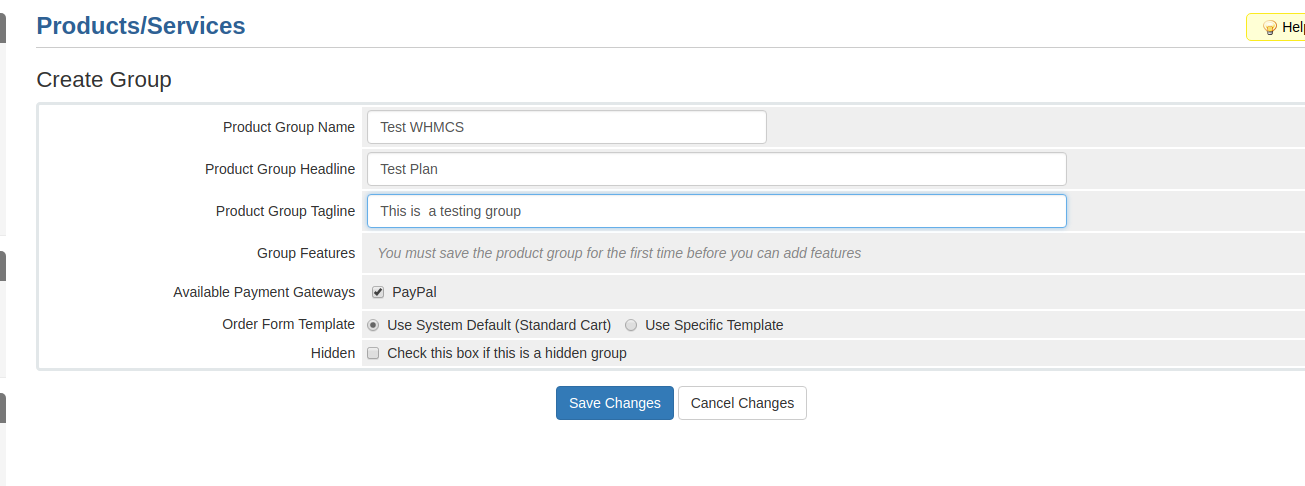
Setup => Product / services => Product / services => Click create new Group
Step 3: Create a Product
=======
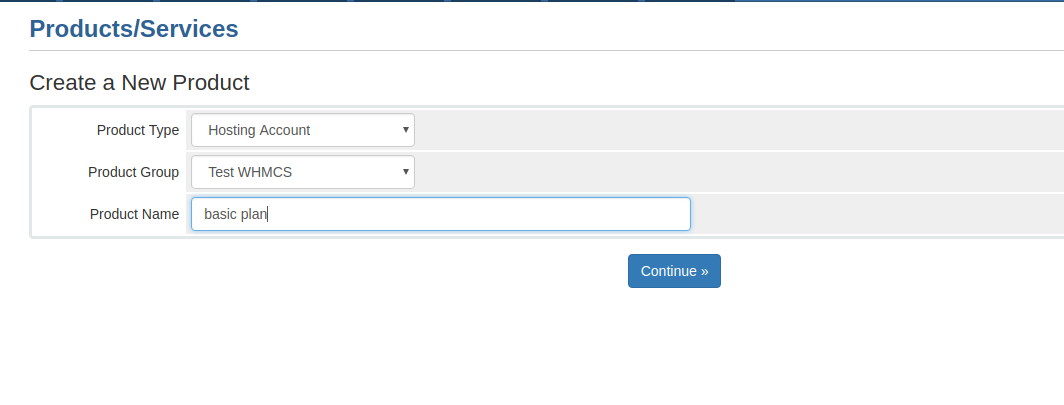
Setup => Product / services => Product / services => Click create new product
Submit all input box then submit button
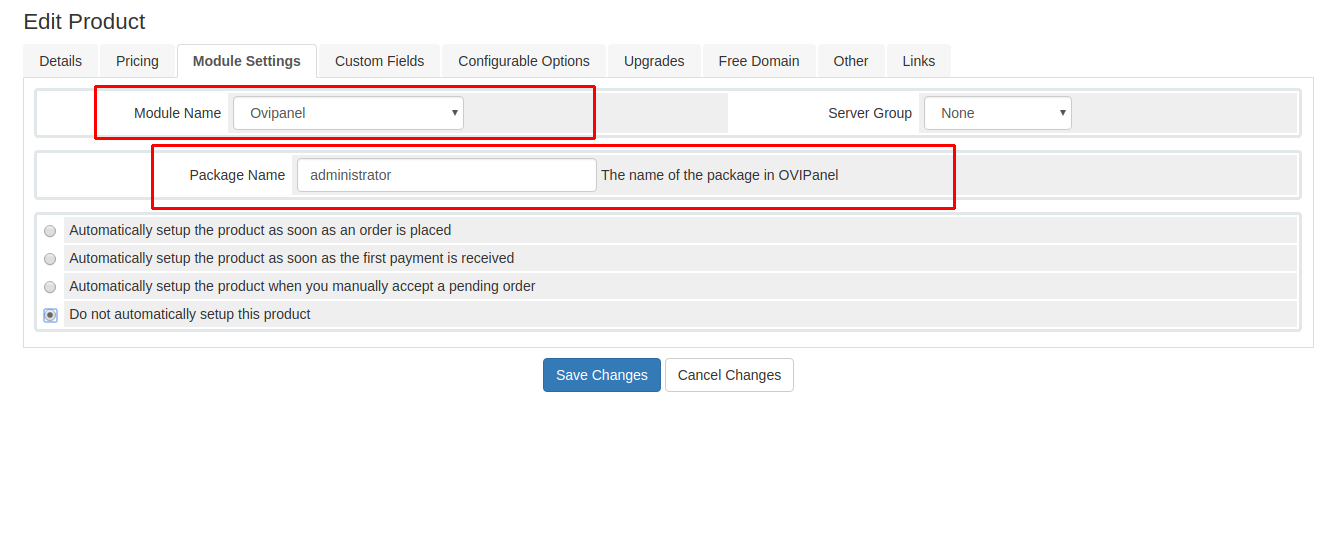
select module settings > select ovipanel as a module and enter the package name already present in your ovi panel
Note that: Before that enable Port number of whmcs into both servers