
How to Migrate to an OVIPanel from WHM(cPanel) using OVIPanel?
Follow the below steps to Migrate your accounts from remote server in Linux Dedicated server:
Step 1: Login to ACP as a zadmin user
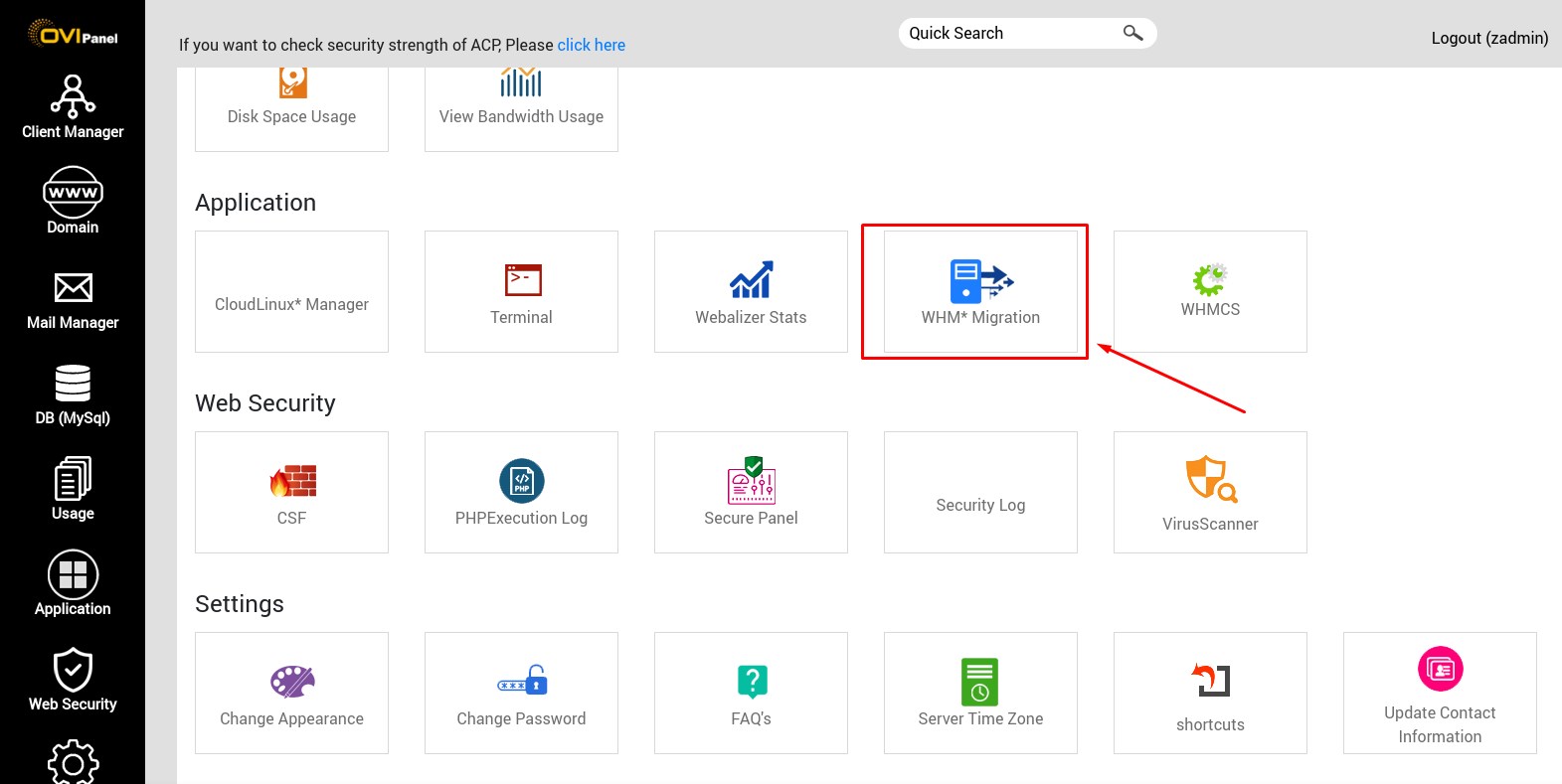
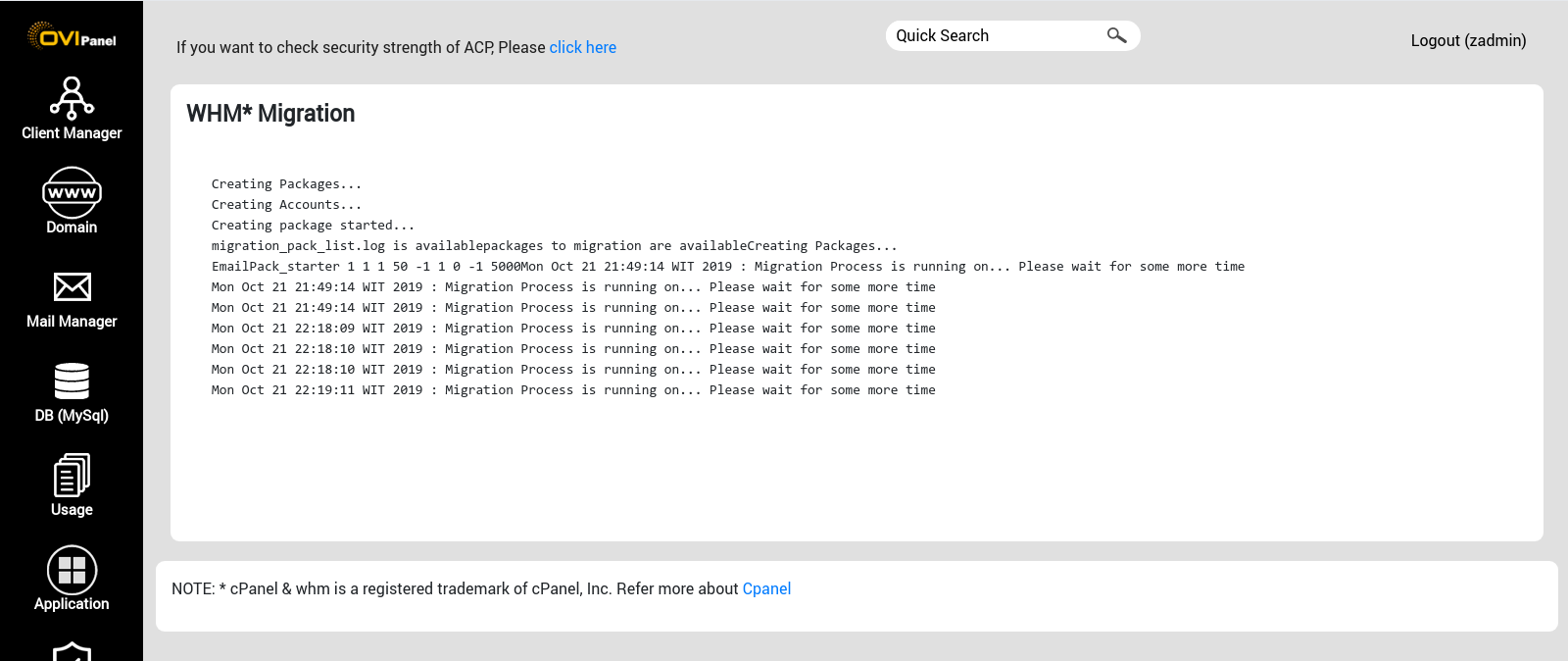
Step 2: Click WHM* Migration
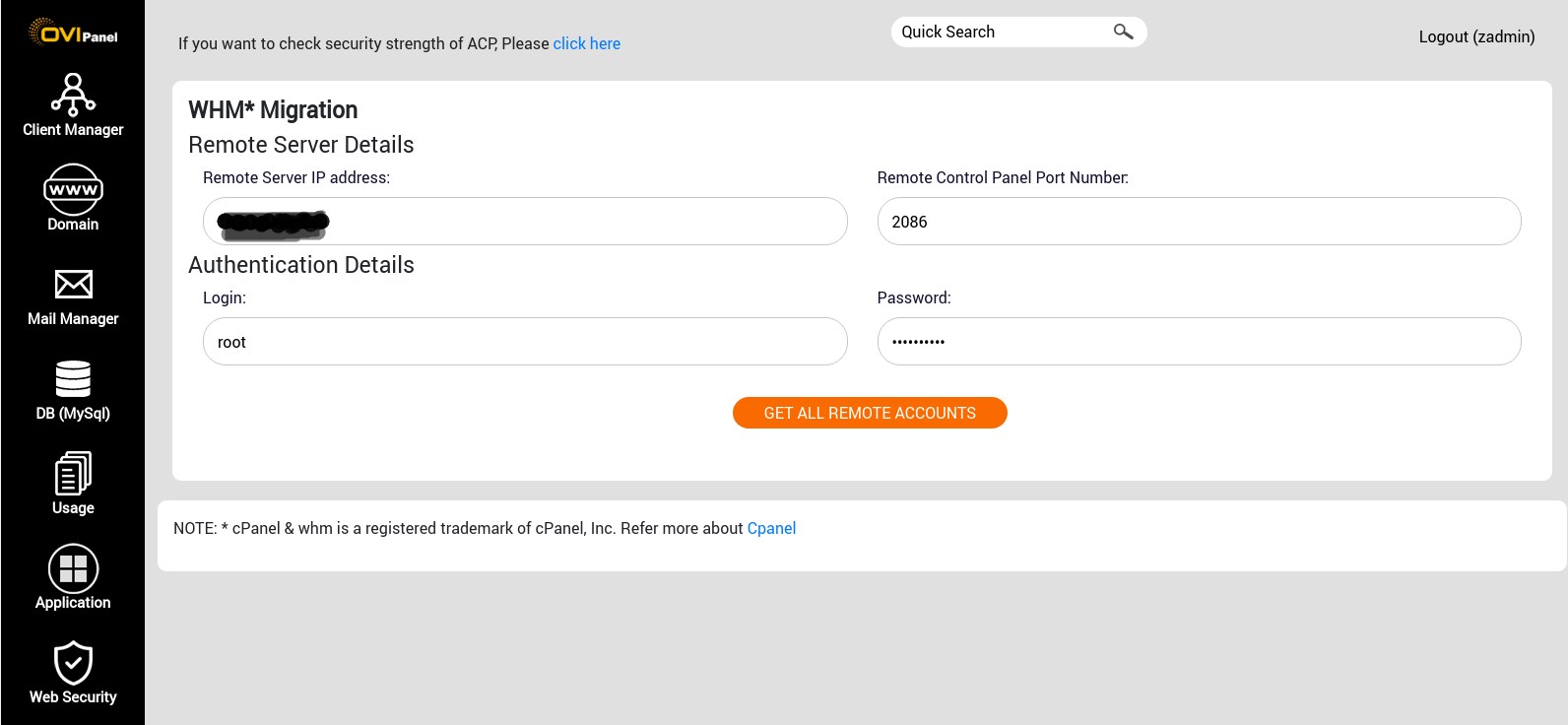
Step 3: Enter the Remote Server IP address, Control Panel Port Number,username, Password
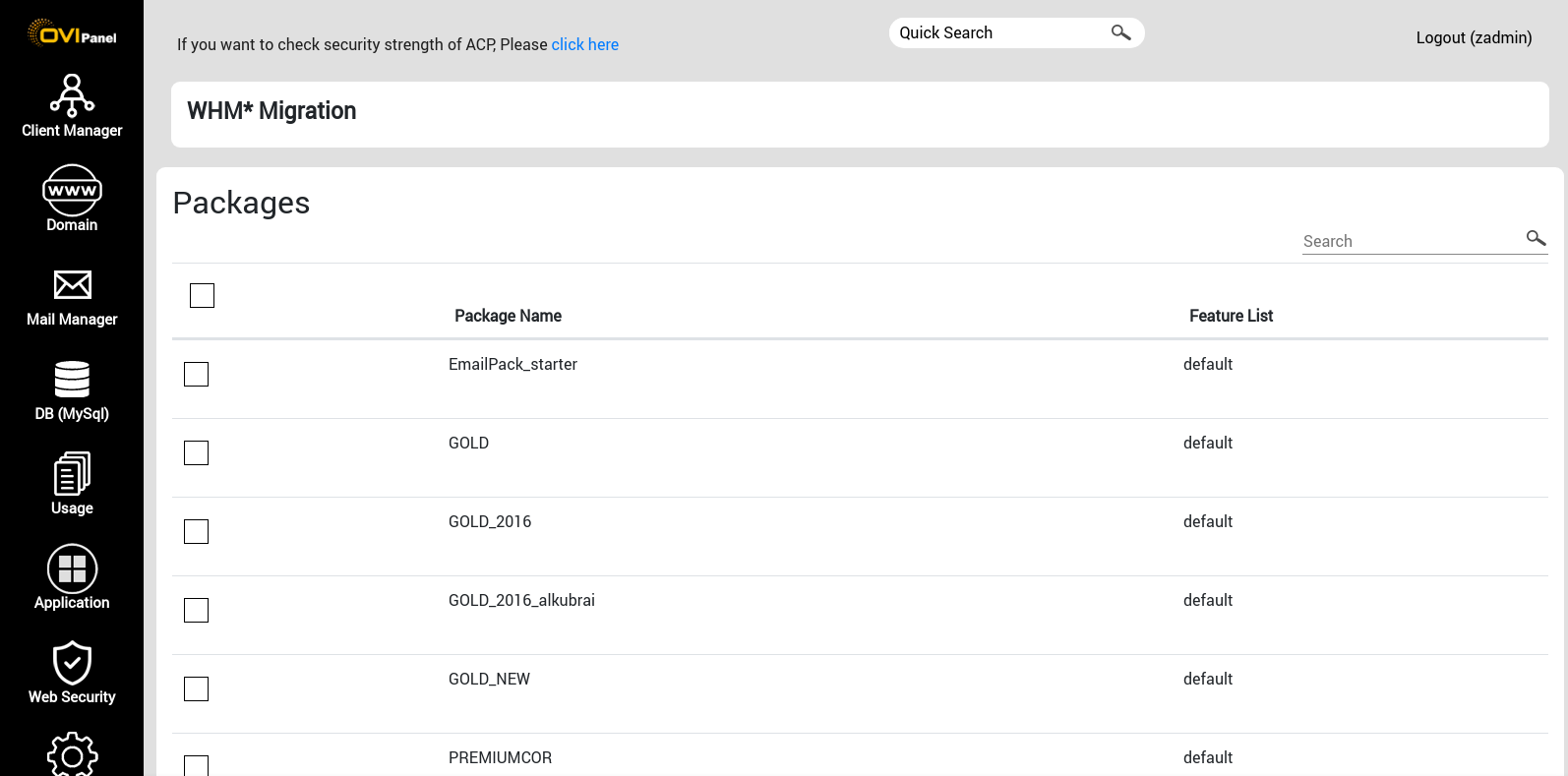
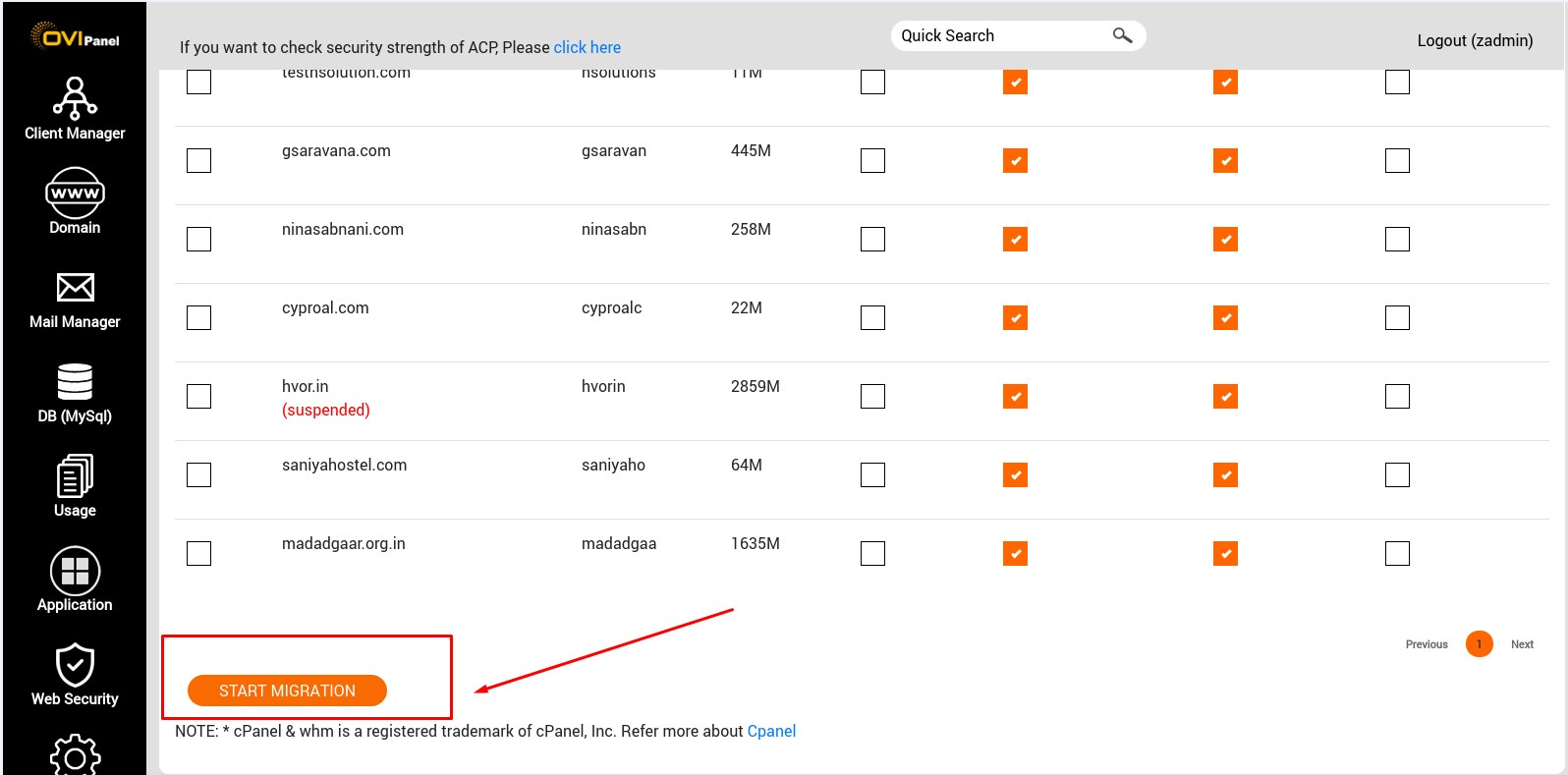
Step 4: select the packages and accounts which you have to migrate, then click on start migration
Step 5: Once migration start you get process log like below.
NOTE: * cPanel & whm is a registered trademark of cPanel, Inc. Refer more about Cpanel