
DNS stands for domain name system, DNS translates the Domain names into the IP address which is used by the browser to fetch the website that is requested. DNS config is used to your own DNS setting, in other words, it can be customized according to as per your needs.
What is the use of configuring DNS config?
DNS config is used to configure the DNS as per our need, We can customize certain features like Allow custom IP, Allow Zone Transfers, Allowed record types, bind log, bind service name, stop service, start service and bind reload, and view errors, view logs and view warnings and clear errors, clear logs and clear warning and you can also reset all records to default when needed
Follow the below steps to create DNS Config
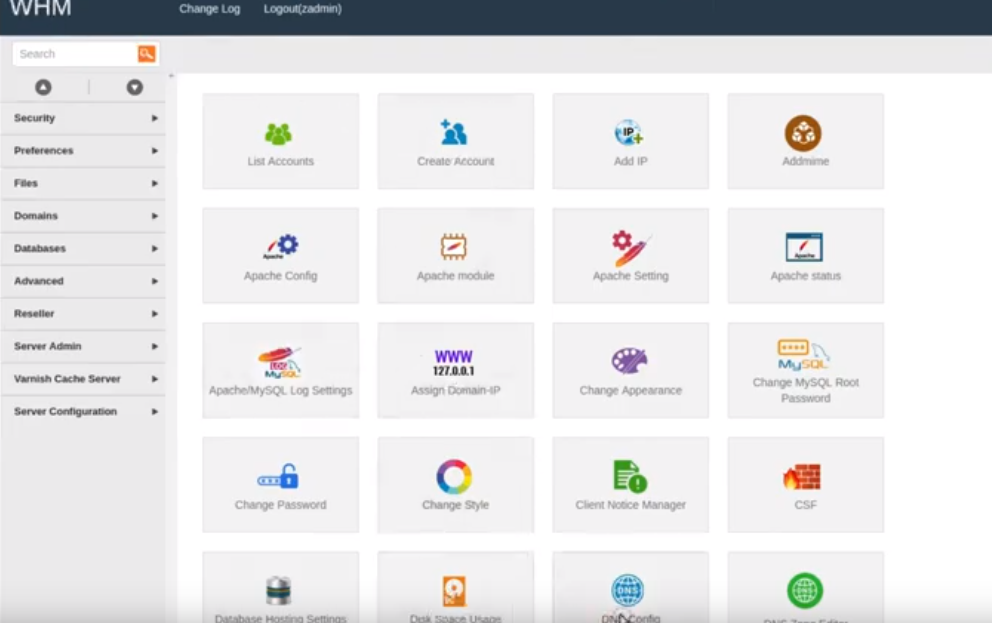
Step 1: First Login into your ACP panel and search and click on DNS config
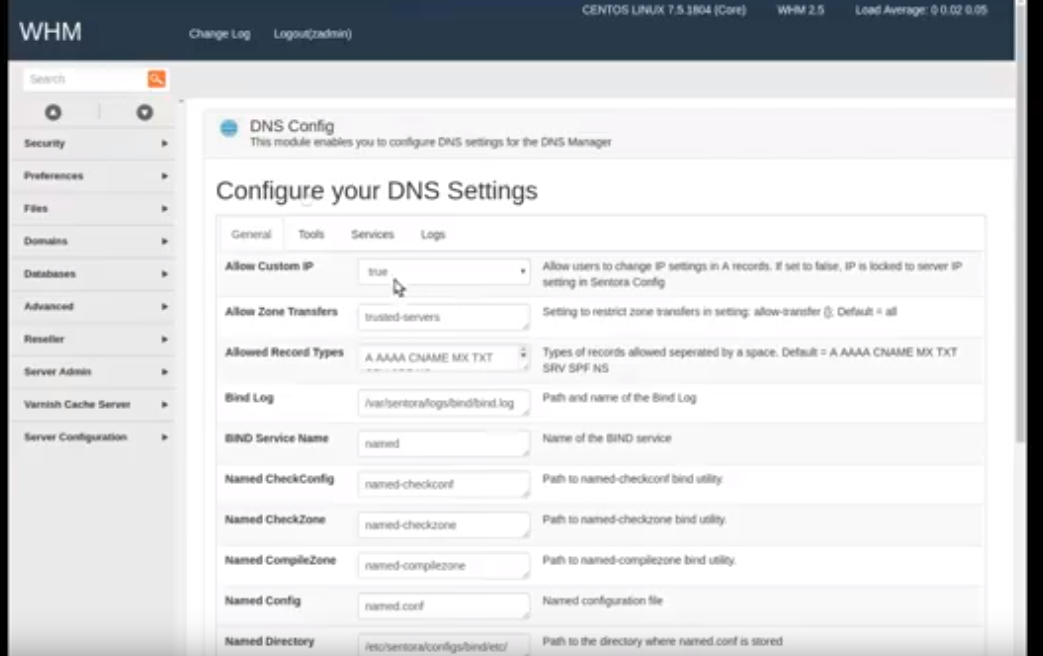
Step 2: Configure your DNS settings: There are four tabs, go according to the four tabs and configure your DNS Settings
Step 3: After you have configured the DNS setting click on save changes to save changes which you have made.
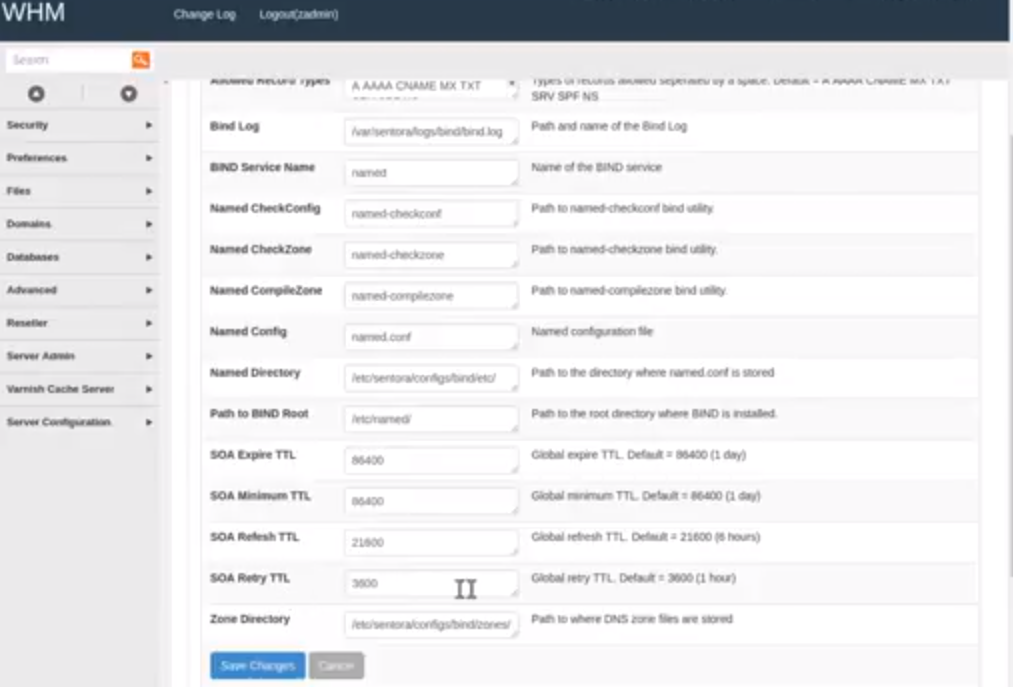
Features which can be configured in Configure your DNS Settings are
In the general tab
Allow Custom IP =>this allows users to change IP settings in A records and when it set false Ip will be locked to server IP setting
Allow Zone transfers => this restrict Zone transfer in setting
Allowed Record Types => types of records which are allowed is separated by space
Bind Log => path and name of the bind log
Named CheckConfig, Named checkZone, Named CompileZone =>path to named-checkconf, named-checkzone , named-compilezone bind utility
named Config => named configuration file
named directory => path to the directory where named conf is stored
the path to BIND root => path to the root directory where BIND is installed
SOA Expire TTL & SOA Minimum TTL =>> global expire and minimum TTL by default the value will 86400(1 day)
SOA Refresh TTL=> GLobal refresh TTL, the default value is 21600(6 hours)
SOA Retry TTL => GLobal retry TTL, default value is 3600(1 hour)
ZOne directory => it is the path where DNS Zone files are stored
In the Tools tab
Reset records to default on single Domain=> you can select the domain name for which you need reset the default
add default records to missing domains => you can add the default records to the missing domains
delete record type from all records => you can select a type of record which should be deleted from all records
purge deleted Zone records from the database
Delete all ZOne transfers => to delete all Zone transfer
Force records update on next daemon Run
In the services tab
start service => to start the service
stop service => to stop the service
Reload bind => to reload the binds
Service port status => here you can view the status of the service port
In the Logs tab
The log file is not Readable => you can set permission for the log file
clear error => to clear error from the log
clear warning => clear the warnings
clear logs => to clear the log
view Errors, view warnings and view logs => to view Errors warning and logs
If you are facing any issue or if you have any clarification when creating the DNS Config in ACP, you can contact our support team via live chat, email, toll-free or ticket system and our support team is available 24/7 they will be happy to help you with your issue.